

Running a spa requires more than keeping an appointment calendar full. Spa software can connect scheduling, payments, client records, memberships, inventory, and staff management. The right platform reduces repetitive work and makes booking easier for customers.
U.S. buyers have dozens of platforms to consider in 2026. Capterra describes these systems as tools for bookings, client management, marketing, and sales. Current comparison pages also emphasize payments, resource scheduling, memberships, packages, and reporting.
Quick answer: A strong spa management platform should handle online booking, staff schedules, payments, customer records, memberships, and reporting together. Small operators may prioritize affordability and simple setup. Larger spas usually need resource scheduling, multi-location controls, deeper reporting, and stronger staff-management features.
| Buying factor | What to evaluate |
|---|---|
| Online booking | 24/7 booking, deposits, cancellation rules, waitlists |
| Scheduling | Staff, treatment rooms, equipment, service durations |
| Payments | POS, processing rates, tips, stored cards, deposits |
| Client management | Profiles, notes, forms, visit history |
| Revenue tools | Memberships, packages, gift cards, retail |
| Staff tools | Calendars, commissions, payroll, permissions |
| Growth support | Reporting, marketing, multi-location management |
Why Spa Management Systems Matter
A spa calendar involves more moving parts than a basic appointment book. Treatments may require a specific provider, room, device, or service duration. Software can coordinate those resources while preventing overlapping reservations.
Payments also affect the workflow before and after each treatment. Deposits can protect expensive appointment slots from late cancellations. Integrated checkout can connect service sales with retail purchases and reporting.
Client information creates another operational requirement. Teams may need preferences, service histories, forms, package balances, and membership details. Keeping that information together can reduce front-desk searching and repeated data entry.
Business Strategy already covers the wider role of digital tools in its guide to essential business software and services. That principle applies especially well to appointment-based businesses. Connected tools usually create fewer administrative handoffs than separate systems.
Five Platforms U.S. Spa Owners May Want to Compare
No single platform fits every spa business. A solo massage studio has different requirements from a multi-location day spa. Pricing, staffing, treatment complexity, and growth plans should shape the shortlist.
| Platform | Published entry pricing | Strong fit | Notable consideration |
|---|---|---|---|
| Vagaro | $30 monthly for one location | Cost-conscious spas needing broad features | Optional features can add cost |
| GlossGenius | $28 monthly Standard | Smaller beauty and wellness businesses | Advanced team features require higher plans |
| Mangomint | $120 per location + $10 per user | Established boutique spas and teams | Higher base cost |
| Square Appointments | Free plan; paid plans available | Solo operators using Square payments | Spa-specific depth may be lighter |
| Zenoti | Quote required | Larger and multi-location operations | Buyers must contact sales for pricing |
Published prices above were checked against official U.S. provider pages in October 2026. Providers can change subscriptions, promotions, and processing rates. Buyers should confirm final pricing before signing an agreement.
Vagaro
Vagaro combines calendars, resource management, payments, memberships, packages, inventory, reporting, and customer records. Its U.S. pricing page currently lists one location at $30 monthly. It also offers optional services, including payroll, websites, branded apps, and accounting integrations.
Pros
- Low published starting subscription
- Memberships and packages included
- Inventory and customer tracking
- Resource management
- Marketplace listing
Cons
- Optional modules can increase total spending
- Growing teams may need added calendar licenses
- Buyers should calculate payment costs separately
Vagaro is a practical starting point for independent and growing operators. Its feature range covers many common day-spa requirements. Businesses wanting several add-ons should price the complete setup before choosing.
GlossGenius
GlossGenius currently lists its Standard plan at $28 monthly. Gold adds features such as forms, waivers, waitlists, time tracking, and room management. Platinum targets larger teams and adds analytics and commission controls.
Pros
- Accessible entry price
- Booking website included
- Membership and package support
- Marketing features
- Higher plans support rooms and resources
Cons
- Resource management starts above Standard
- Larger teams may need considerably higher plans
- Medspa clinical tools use separate practice plans
This option fits smaller beauty and wellness companies that want booking and marketing together. Operators should carefully compare Standard and Gold. Treatment rooms or complex staffing can make the higher tier more relevant.
Mangomint
Mangomint charges $120 per location per month, plus $10 per user per month. Core features include calendars, payments, gift cards, inventory, staff management, reporting, and multi-location tools. Marketing, payroll, and phone capabilities are available as paid additions.
Pros
- Clear published pricing
- Resource and staff management
- Multi-location support
- Free onboarding and data transfer
- No long-term contract requirement listed
Cons
- Higher base cost than entry-level competitors
- Per-user pricing raises costs as teams expand
- Marketing and payroll cost extra
Mangomint suits businesses willing to pay more for a fuller operating system. Its pricing structure also makes forecasting easier than quote-only products. Smaller solo operators may find lower-cost alternatives sufficient.
Square Appointments
Square provides booking, calendars, deposits, payments, and customer-facing booking tools. Its current U.S. structure includes a free plan alongside Plus and Premium options. Paid subscriptions add capabilities for businesses needing more operational control.
Pros
- Free entry option
- Integrated Square payments
- Online booking website
- Deposits and prepayments
- Familiar POS ecosystem
Cons
- Less specialized around spa operations
- Advanced features require paid plans
- Processing charges remain part of total cost
Square deserves consideration for solo practitioners and small studios already using its payment ecosystem. Its simplicity can reduce the number of systems an owner manages. Complex spas should compare its resource features against dedicated platforms.
Businessstry’s guide to credit card machines for small businesses explains why processing expenses matter beyond hardware costs. The same principle applies here. Subscription price alone doesn’t reveal the full operating cost.
Zenoti
Zenoti targets beauty and wellness companies needing extensive operational capabilities. Its platform covers appointments, employees, payroll, commissions, inventory, rooms, payments, memberships, loyalty programs, marketing, and online booking. Current public pricing requires buyers to request a quote.
Pros
- Broad operating feature set
- Strong multi-location orientation
- Resource and room management
- Membership and loyalty tools
- Staff and commission features
Cons
- No simple public starting price
- Extensive functionality may exceed small-spa needs
- Evaluation can require a sales process
Zenoti is more relevant when operational complexity becomes a deciding factor. A growing chain may value centralized management more than a low entry subscription. Independent providers should first decide whether they need that depth.
How to Choose Spa Software for Your Business
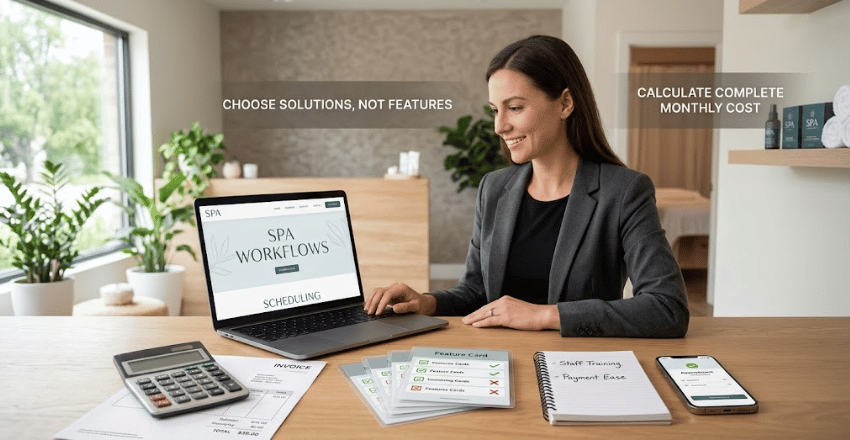
Start with the workflow that causes the most friction today. One business may struggle with scheduling rooms, while another loses time reconciling payments. Your shortlist should solve measurable operating problems rather than offer the longest feature list.
Next, calculate the complete monthly cost. Include subscriptions, additional users, locations, payment processing, marketing, payroll, hardware, and paid integrations. A $30 subscription can cost considerably more after optional services are added.
Businessstry’s healthcare payment processing guide provides useful context for businesses handling more complex payment environments. Medspas should also evaluate clinical documentation and compliance requirements separately. A general day-spa platform should not automatically be treated as a medical records system.
Finally, test the customer experience before migrating. Book an appointment by phone, reschedule it, buy a package, and complete checkout. Staff should also test calendar changes, notes, reporting, and daily closing tasks.
Seven Features Worth Testing Before You Commit
Test booking first because customers interact with it directly. Check mobile usability, service selection, provider choices, deposits, confirmations, and rescheduling. Every extra step can create friction before an appointment reaches your calendar.
Resource scheduling matters when treatments depend on rooms or equipment. A therapist may be available while the required room remains occupied. The platform should automatically prevent those conflicts.
Memberships and packages also deserve practical testing. Confirm how balances, renewals, cancellations, credits, and redemptions appear for customers and employees. Poor visibility can create awkward conversations at checkout.
Payments should connect cleanly with appointments and sales reports. Compare card-present rates, online rates, chargebacks, deposits, and payout timing. Businessstry’s broader digital growth planning guide can help place these technology decisions within wider growth planning.
Reporting should answer useful business questions without spreadsheet repair. Owners commonly need revenue by service, provider performance, retail sales, utilization, and recurring revenue. Request a reporting demonstration using scenarios that match your operation.
Staff controls become more important as the team grows. Look for permissions, commissions, schedules, time tracking, and employee performance tools where needed. Managers should not need administrator access for routine work.
Migration support can make or break a promising system. Ask what data the provider imports and who handles the transfer. Confirm how appointments, clients, packages, gift cards, and historical records move before cancelling the old service.
What Does Spa Management Software Cost?
Entry pricing varies considerably across the U.S. market. Published examples range from free appointment plans to subscriptions over $100 per month. Enterprise-oriented providers may use custom quotes instead.
The lowest subscription is not always the least expensive choice. Processing rates, staff fees, add-ons, hardware, and marketing tools can change annual spending. Compare costs using your expected transaction volume and team size.
A useful comparison uses a full 12-month estimate. Include every required module rather than optional features you might never use. This approach makes large pricing differences easier to explain and defend.
Our Practical Verdict
Vagaro is a strong value-oriented option for many independent U.S. spas, based on its published pricing and broad feature set. GlossGenius deserves attention from smaller beauty businesses that value simple booking and marketing. Mangomint becomes attractive when an established team wants deeper operating tools and clear pricing.
Square Appointments appeals to solo businesses already committed to Square. Zenoti deserves a closer look for larger groups and multi-location operators. Your final choice should follow business complexity rather than brand recognition.
Run two or three finalists through the same booking, payment, membership, and reporting scenarios. Ask staff to score each workflow before a contract or migration begins. That small test can expose limitations that feature pages rarely show.
Frequently Asked Questions
What is spa software?
Spa software is a business platform designed around appointment-based wellness operations. It commonly combines online booking, calendars, client records, payments, and reporting. More advanced systems can also manage rooms, memberships, inventory, payroll, and multiple locations.
What features does a small spa need most?
A small spa usually needs online booking, appointment reminders, customer records, payments, and basic reporting. Deposits can also help protect time for high-value appointments. Extra modules should solve a clear need before adding monthly costs.
Can these systems reduce no-shows?
Many platforms support deposits, reminders, cancellation policies, and automated confirmations. Those tools can encourage customers to keep appointments or reschedule earlier. Results still depend on the spa’s policies and how consistently staff use them.
Is salon software suitable for a spa?
Sometimes it is, especially when services use simple staff calendars. Spas with rooms, equipment, memberships, or longer treatments may need stronger resource scheduling. Medspas may also need clinical capabilities that standard salon systems don’t provide.
Should payment processing influence the decision?
Yes, because transaction charges can exceed subscription costs at higher sales volumes. Compare in-person, online, stored-card, and manual-entry rates where relevant. Evaluate annual processing expense alongside the monthly software price.
How should a spa compare finalists?
Use the same real-world test for every vendor. Create a booking, move it, collect a deposit, check out, redeem a package, and run a report. Then compare staff effort, customer friction, and total annual cost.